

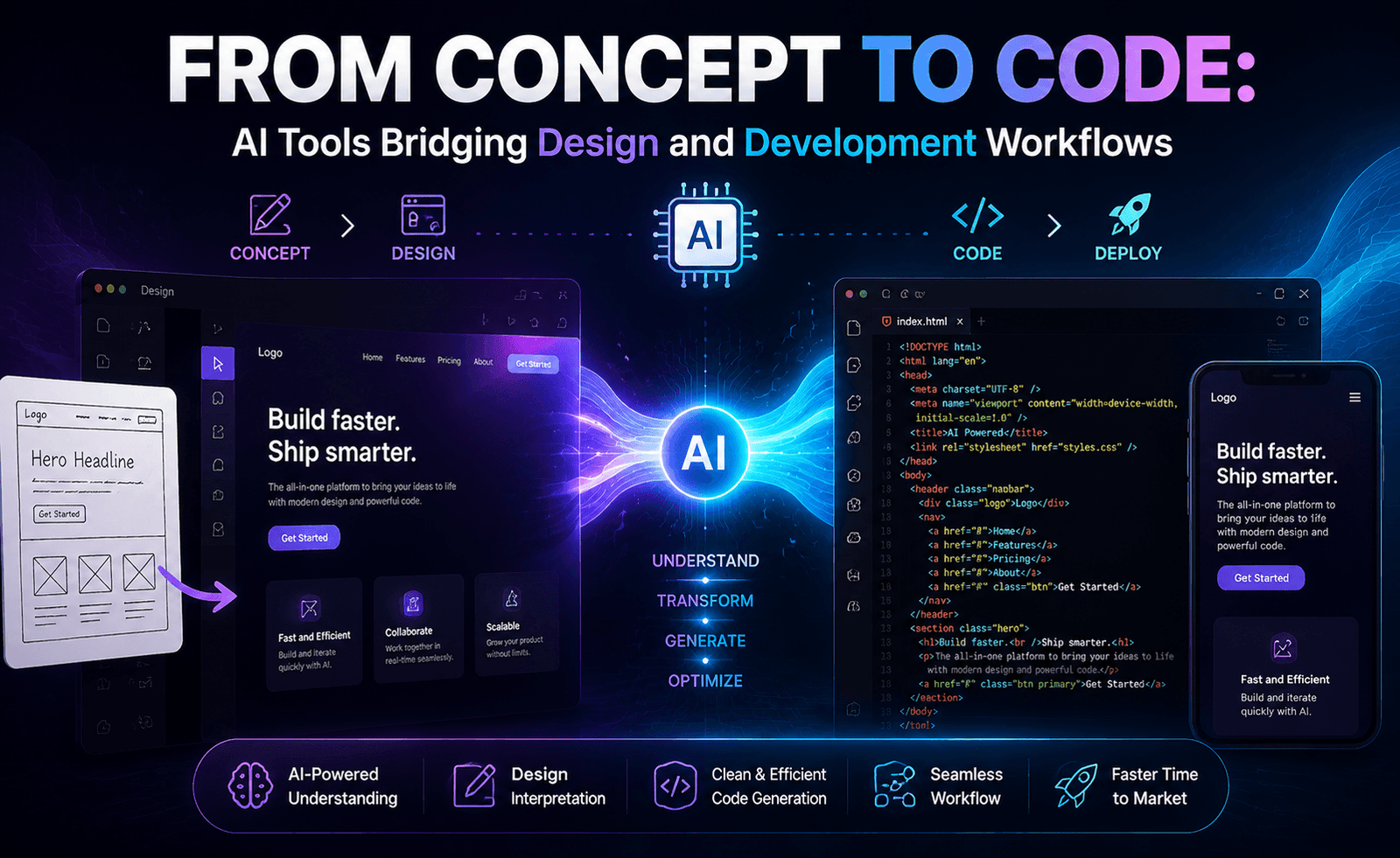
The handoff between designer and developer has historically been one of the most friction-heavy points in building digital products — specs get lost in translation, pixel-perfect mockups become “close enough” implementations, and iteration cycles slow to a crawl. A new wave of AI tools is specifically targeting this gap, using image understanding and code generation together to turn visual concepts directly into working front-end code. The Ravody Team evaluates how well these tools actually close that gap today.
The Traditional Design-to-Development Problem
In a conventional workflow, a designer creates a mockup in a design tool, annotates spacing and typography, and hands it to a developer who manually recreates the layout in code. This process is slow, error-prone, and creates a natural drift between design intent and shipped product — especially as designs get revised and developers must manually track what changed. AI tools that bridge this gap promise to compress that translation step from hours or days to minutes.
Categories of Design-to-Code Tools
Screenshot-to-Code Generators
These tools take a static image — a screenshot, a hand-drawn wireframe, or a design mockup — and generate corresponding HTML/CSS or component code (React, Vue, etc.). They work by combining image understanding with code generation, essentially “reading” the visual layout and translating it into markup and styling.
Design-Tool Plugins
Rather than working from a flat image, these integrate directly with design software, reading the actual layer structure, spacing values, and component hierarchy of a design file — which typically produces more accurate output than screenshot-based approaches, since exact values (not visual estimates) are available.
Natural-Language-to-UI Generators
A more recent category skips the design-file step entirely, generating a working interface directly from a text description (“a pricing page with three tiers and a comparison table”), useful for early-stage prototyping when no design mockup exists yet.
How Well Does This Actually Work?
Quality varies significantly depending on design complexity. For simple, well-structured layouts — a landing page hero section, a pricing table, a basic form — these tools frequently produce code that requires only minor cleanup. For more complex interfaces involving custom interactions, non-standard component behavior, or highly specific design system rules, generated code typically needs substantial developer refinement.
What These Tools Do Well
- Structural layout: Getting the overall grid, spacing, and component arrangement roughly correct.
- Rapid prototyping: Turning a rough idea into a clickable, in-browser prototype far faster than manual coding.
- Reducing blank-page friction: Giving developers a working starting point rather than an empty file.
Where They Still Struggle
- Design system fidelity: Matching exact spacing tokens, color variables, and component naming conventions from an established design system.
- Complex interactivity: Multi-step forms, drag-and-drop interfaces, and custom animation logic often require significant manual implementation.
- Accessibility: Generated markup doesn’t always include proper semantic HTML or ARIA attributes without explicit prompting for accessibility compliance.
- Responsive behavior: Translating a single static mockup into properly responsive code across breakpoints remains an area requiring manual verification.
A Practical Adoption Framework
| Scenario | Recommended Approach |
|---|---|
| Early prototyping, no design file yet | Natural-language-to-UI generator |
| Established design system, need exact fidelity | Design-tool plugin (reads actual layer data) |
| Quick internal tools/demos | Screenshot-to-code generator |
| Production-grade, accessible components | AI-generated starting point + manual accessibility/QA pass |
Implications for Design and Engineering Roles
Rather than eliminating either role, these tools are shifting where time gets spent. Designers increasingly need to think about how cleanly their files translate to code — using proper component structure and naming within design tools rather than purely visual layer organization — since well-structured design files produce dramatically better AI-generated output. Developers, meanwhile, spend less time on manual layout translation and more time on the parts that still require genuine engineering judgment: state management, data flow, performance, and accessibility.
A Recommended Workflow
- Use a design-tool plugin or screenshot generator to produce a first-pass component structure directly from the mockup.
- Have a developer review the generated code for structural correctness and design system alignment.
- Manually implement complex interactivity, state management, and edge-case behavior that generation tools don’t reliably handle.
- Run a dedicated accessibility and responsive-design pass, since these are the most commonly under-addressed areas in generated output.
- Treat the AI-generated code as a first draft requiring the same code review rigor as any other pull request.
Code Quality and Maintainability of Generated Output
Beyond whether generated code visually matches a design, a separate and equally important question is whether that code is actually maintainable by a human team going forward. Some design-to-code tools produce markup that visually replicates a mockup but does so through excessive, non-semantic wrapper divs, inline styles rather than a coherent class or component system, or duplicated styling logic rather than reusable patterns — output that might look correct in the browser but creates real technical debt if merged into a production codebase without cleanup. Teams evaluating these tools should look beyond the visual diff and inspect the actual generated markup and styling structure, asking whether a developer unfamiliar with the tool could reasonably maintain and extend this code six months later. Tools that integrate with an existing component library or design system tend to produce more maintainable output than those generating from scratch, since they can reuse established patterns rather than reinventing structure for every new screen.
Handling Design System Drift
One of the most persistent challenges in any design-to-code workflow, AI-assisted or not, is keeping generated code aligned with an evolving design system over time. When a design system’s spacing scale, color tokens, or component variants change, previously generated code doesn’t automatically update to match — creating a slow drift between what the design system currently specifies and what’s actually deployed in the product. Some newer tools address this by generating code that references design tokens directly (pulling from a shared source of truth) rather than hardcoding specific pixel values or hex codes, which means a design system update can propagate to already-generated code with less manual rework. Teams adopting design-to-code AI tools at scale should specifically evaluate this capability, since the initial generation step is often the easy part — keeping generated code in sync with a living, evolving design system over months and years is where the more significant workflow challenges tend to emerge.
The Role of Component Libraries and Design Tokens
The single biggest lever for improving AI-generated code quality, in our observation, isn’t a better model — it’s better structured input. Design files organized with clear component naming, consistent use of auto-layout or equivalent structural features, and defined design tokens for color, spacing, and typography give these tools dramatically more to work with than a flat, purely visual mockup with ad hoc layer names like “Rectangle 47” and “Group 12 copy.” Organizations investing in AI-assisted design-to-code workflows often find that the highest-leverage investment isn’t switching tools, but investing design team time in cleaning up and standardizing how design files are structured in the first place — a change that improves not just AI tool output but also general design system hygiene and cross-team communication.
Testing Generated Interfaces
Visual similarity to a mockup is necessary but not sufficient for a production-ready interface. Generated components still need the same testing rigor as any hand-written UI code: unit tests for component logic, visual regression testing to catch unintended styling drift over time, and manual testing across the range of browsers, devices, and assistive technologies your product needs to support. It’s worth noting that visual regression testing tools pair particularly well with AI-generated UI code, since they can catch cases where a subsequent design update or refactor subtly breaks the AI-generated layout in ways that might not be immediately obvious from reading the code alone. Teams that skip this testing layer under the assumption that “it matched the mockup when generated” often find accessibility and cross-browser issues surface later, closer to launch, when they’re more expensive and disruptive to fix.
Team Workflow Changes Worth Planning For
Adopting these tools effectively usually requires more than just installing a plugin — it benefits from an explicit conversation between design and engineering about where responsibility shifts. Some organizations have found success designating a specific role (sometimes an engineer with strong design sensibility, sometimes a designer comfortable with code) to own the review and cleanup of AI-generated components before they enter the broader codebase, rather than leaving that responsibility ambiguous. Establishing clear expectations up front — including what level of fidelity is required before a generated component is considered “done,” and who signs off on accessibility and responsive behavior — helps avoid the common failure mode where AI-generated code gets merged quickly to hit a deadline, then accumulates as unaddressed technical debt that’s harder to untangle the longer it sits in production.
Final Thoughts
AI tools that bridge design and code have made real progress in compressing the traditionally slow handoff between designers and developers, particularly for prototyping and simple, well-structured layouts. But treating generated output as production-ready without review remains a mistake — the gap between “looks right” and “is right” (accessible, responsive, maintainable) is where human expertise remains essential. As these tools continue to mature, the Ravody Team expects the biggest gains to come not from better image-to-code translation alone, but from tighter integration with design systems that give the AI more precise, structured information to work from in the first place.